
在一个 Ubuntu 22.04 基础镜像里装好 Go,做成可以反复用的构建环境。
Dockerfile
# Version: 0.0.1
FROM ubuntu:22.04
MAINTAINER Mingze Li "limingze610@163.com"

RUN echo 'deb http://cn.archive.ubuntu.com/ubuntu/ jammy main restricte' \
'deb http://cn.archive.ubuntu.com/ubuntu/ jammy-updates main restricte' \
'deb http://cn.archive.ubuntu.com/ubuntu/ jammy univers' \
'deb http://cn.archive.ubuntu.com/ubuntu/ jammy-updates univers' \
'deb http://cn.archive.ubuntu.com/ubuntu/ jammy multivers' \
'deb http://cn.archive.ubuntu.com/ubuntu/ jammy-updates multivers' \
'deb http://cn.archive.ubuntu.com/ubuntu/ jammy-backports main restricted universe multivers' \
'deb http://security.ubuntu.com/ubuntu jammy-security main restricte' \
'deb http://security.ubuntu.com/ubuntu jammy-security univers' \
'deb http://security.ubuntu.com/ubuntu jammy-security multivers' \
> /etc/apt/sources.list

RUN apt update

RUN apt install -y vim
RUN apt install -y sudo
RUN apt install -y wget
RUN apt install -y curl

RUN mkdir -p /home/workspace
WORKDIR /home/workspace

RUN wget -O go.tar.gz https://studygolang.com/dl/golang/go1.19.10.linux-amd64.tar.gz
RUN tar -zxf go.tar.gz -C /usr/local/
RUN ln -sv /usr/local/go/bin/go /bin

ENV TZ Asia/Shanghai
ENV GOPROXY https://goproxy.io,direct
ENV GO111MODULE on
ENV GOROOT /usr/local/go
ENV CGO_ENABLED 1
ENV GOPATH /home/workspace/go

EXPOSE 80
EXPOSE 8080
EXPOSE 8888
EXPOSE 6666

#CMD ["app"]
几点说明:
- 前面一大段
RUN echo是把 apt 源换成国内镜像,否则后面apt update会卡很久。注意组件名在原文里被截断了(restricte、univers、multivers),照抄前补全成restricted、universe、multiverse,否则 apt 会报错。 CGO_ENABLED 1和GOPATH都写在镜像里,后面编译依赖 C 库的项目不用再改。EXPOSE只是声明,实际端口还是要在docker run -p时映射。
构建
docker build -t="jasonleemz/golang:v0.1"
也可以直接指一个仓库地址,前提是 Dockerfile 已经在仓库里:
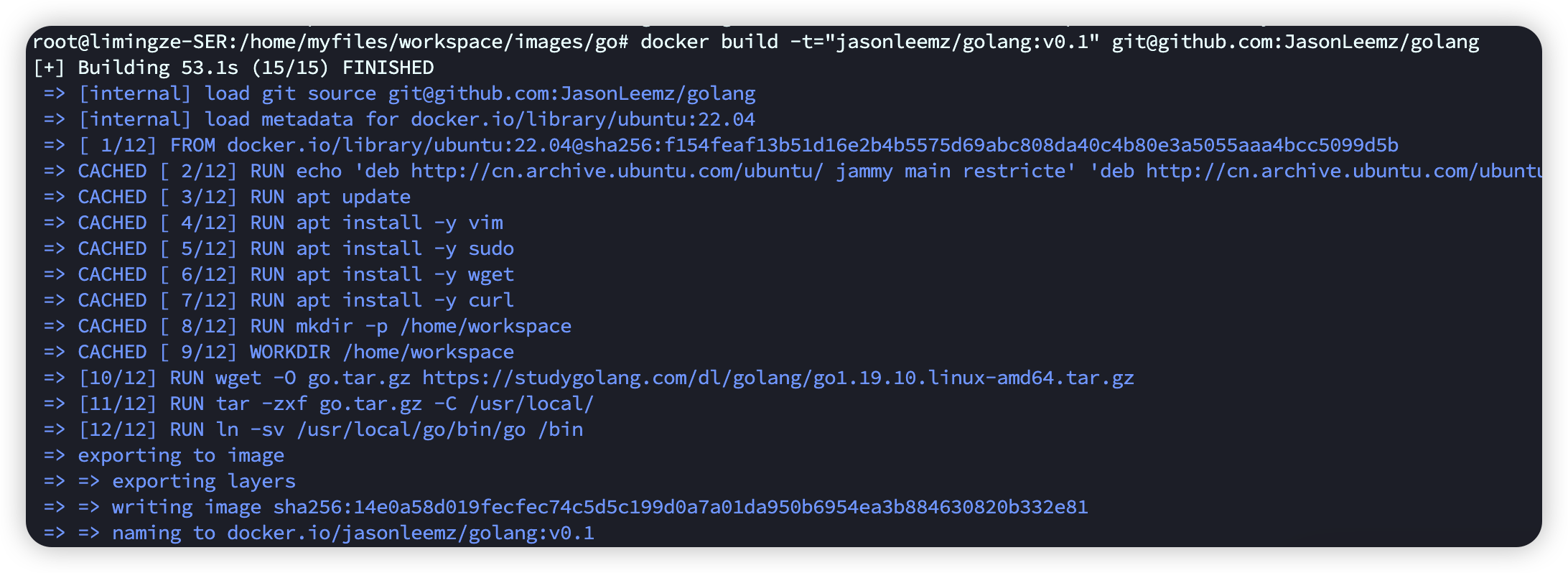
docker build -t="jasonleemz/golang:v0.1" git@github.com:JasonLeemz/golang
推到 Docker Hub
docker push jasonleemz/golang:v0.1
如果提示:
denied: requested access to the resource is denied
先登录再推:
# docker login
Login with your Docker ID to push and pull images from Docker Hub. If you don't have a Docker ID, head over to https://hub.docker.com to create one.
Username: jasonleemz
Password:
...
Login Succeeded
如果登录时报:
ERROR: invalid empty ssh agent socket: make sure SSH_AUTH_SOCK is set
把 agent 启起来并指一下 socket:
eval "$(ssh-agent -s)"
export SSH_AUTH_SOCK="/run/user/1000/ssh-agent.sock"
评论
还没有人留言。